SBT Partners
  • Total IT Management
        • AI Solutions
        • Helpdesk
        • Cybersecurity
        • Microsoft 365
        • Virtual CIO
        • Collaboration
        • Data Backup
        • Business Continuity
        • Cloud
        • Workstation Management
        • Infrastructure Management
  • Industries
    • Construction
    • Manufacturing
    • Nonprofits
    • Professional Services
    • Property Management
  • The SBT Partnership
    • SBT Solution Stack
    • The Modern Workplace
    • Technology as a Service
    • IT Strategy Committee
    • SBT Partnership Rewards
    • About Us
  • Resources
    • Upgrade Your MSP
    • Blog
    • Videos
    • Careers
    • Locations
      • Charlotte
      • Detroit
  • Contact Us
  • Menu Menu

Cyber Hygiene in 2026: Your First Line of Defense

Going into 2026, cyber hygiene is no longer optional—it’s the foundation of a strong cybersecurity strategy for SMBs. This post breaks down the latest threat trends, from deepfake phishing to firmware-level attacks, and offers a practical checklist to help businesses build resilience through smart habits, employee training, and affordable security tools.
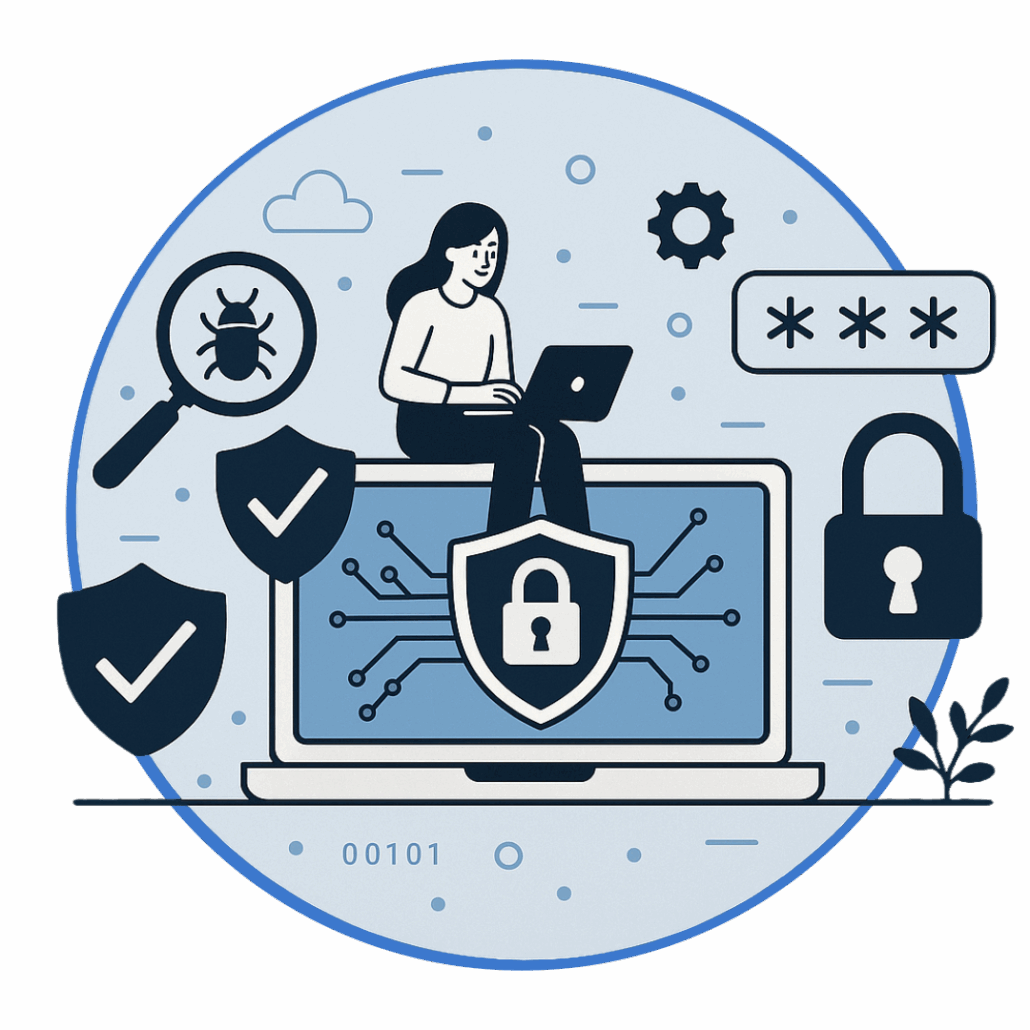
As we move deeper into 2026, small and midsize businesses (SMBs) are facing a rapidly shifting digital battlefield. Cyber threats—from ransomware and phishing attacks to deepfake scams and firmware-level exploits—are growing more sophisticated by the day. In this high-risk environment, cyber hygiene isn’t just a technical checklist—it’s your business’s first and most essential line of defense.

Why Cyber Hygiene Matters Now More Than Ever

For SMBs, the cybersecurity threat landscape in 2026 is more complex than ever. According to the FBI’s Internet Crime Complaint Center (IC3), phishing attacks were the most reported cybercrime in 2024, with over 298,000 complaints—a 15% increase from the previous year.
Yet many breaches still stem from basic oversights:
  • Weak or reused passwords
  • Outdated software
  • Untrained employees
These are not just technical failures—they’re human errors. And they’re preventable with strong cyber hygiene habits.

What Is Cyber Hygiene?

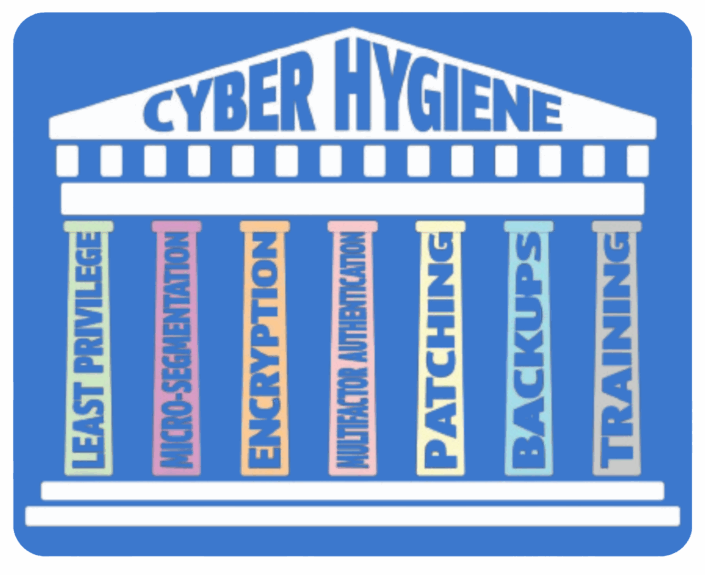
Think of cyber hygiene as the digital version of brushing your teeth—simple, consistent habits that keep your systems clean and secure. It’s the foundation of your cybersecurity posture, and it’s especially critical for SMBs that may not have enterprise-level resources.

While full-scale cybersecurity includes advanced tools like firewalls and incident response plans, cyber hygiene is about mastering the basics. Neglecting them is like leaving your digital front door wide open.

Core Cyber Hygiene Practices:

  • Use strong, unique passwords for every account
  • Require multi-factor authentication (MFA) across systems
  • Keep software and devices updated with the latest patches
  • Back up important data regularly and securely
  • Run endpoint protection tools like antivirus and anti-malware

The 2026 Threat Landscape: What’s Changing

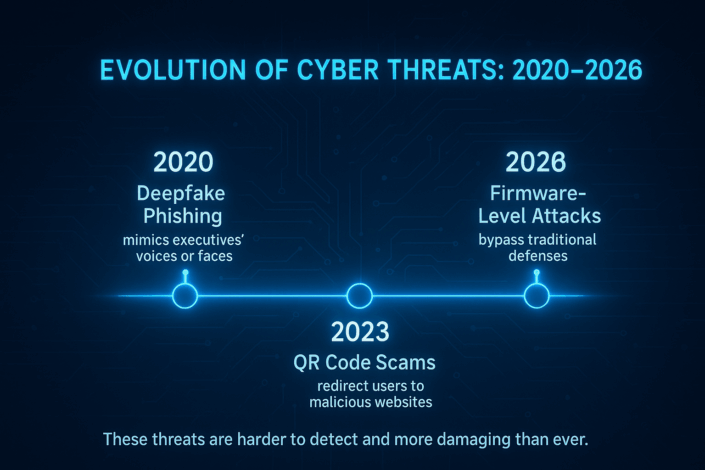
Cybercriminals are evolving their tactics. In 2026, SMBs must contend with:

  • Deepfake phishing that mimics executives’ voices or faces
  • QR code scams that redirect users to malicious websites
  • Firmware-level attacks that bypass traditional defenses
These threats are harder to detect and more damaging than ever. At the same time, new cybersecurity compliance requirements are raising the stakes for businesses. Staying informed is critical.
For a deeper dive into emerging threats, check out our blog on 10 of the Most Common Cybersecurity Threats.

Cyber Hygiene Checklist for SMBs

To make cyber hygiene part of your daily operations, use this checklist:

(Click on each checklist value to learn more)

Enforce strong password policies and require MFA

Passwords alone are no longer enough—90% can be cracked in hours. Combine strong, unique passwords with multi-factor authentication (MFA) to add a critical layer of security. MFA ensures that even if credentials are stolen, attackers can’t easily access your systems.

Keep all software and devices updated

Unpatched software is a hacker’s playground. Updates close known vulnerabilities, improve performance, and add new security features. Automating updates reduces human error and keeps your systems resilient against exploits.

Use endpoint security tools like Microsoft Defender for Business or Sophos Intercept X

Modern threats require advanced defenses. Tools like Microsoft Defender for Business and Sophos Intercept X provide real-time threat detection, anti-ransomware protection, and automated remediation—ideal for SMBs seeking enterprise-grade security without complexity.

Back up data regularly and test your backups

A backup is only useful if it works when disaster strikes. Regular backups protect against ransomware and hardware failures, but testing ensures you can restore quickly and completely. Without testing, you risk costly downtime and data loss.

Provide ongoing cybersecurity training for employees

Human error drives most breaches. Continuous training builds a security-first culture, teaching employees to spot phishing, handle sensitive data, and comply with regulations. Well-trained teams reduce risk and improve incident response times.

Run phishing simulations to test awareness

Simulations turn theory into practice. By mimicking real-world phishing attacks, you help employees recognize and report threats before they cause harm. Regular testing identifies weak spots and reinforces good habits.

Evaluate the security posture of third-party vendors

Your vendors can be your weakest link. Assess their security controls, compliance certifications, and incident response capabilities to prevent supply chain attacks. Continuous monitoring and contractual safeguards are essential for reducing risk.

These steps may seem simple, but when done consistently, they dramatically reduce your risk exposure.

Why Human Error Still Leads the Pack

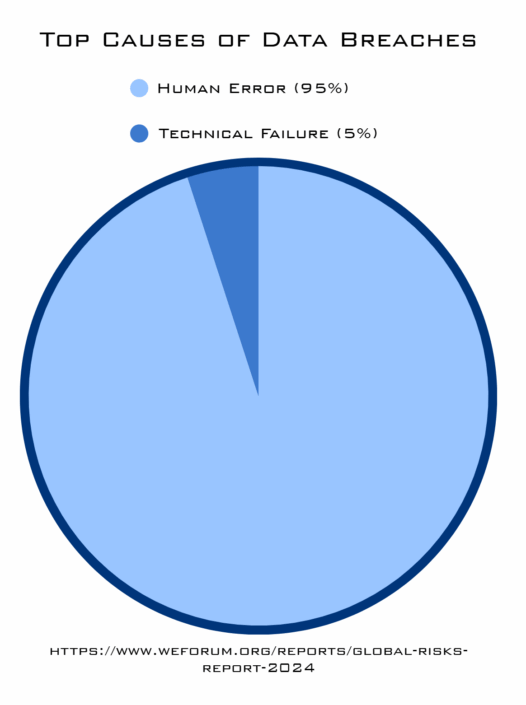
Despite advances in security tools, human error remains the leading cause of breaches. The World Economic Forum’s Global Risks Report found that 95% of cybersecurity incidents stem from human mistakes—not technical failures (https://www.weforum.org/reports/global-risks-report-2024).

So what makes up the 95%?

  • Clicking on phishing links or malicious attachments
  • Using weak or reused passwords
  • Ignoring software updates
  • Low cybersecurity awareness
  • Carelessness and misdirected data sharing
  • Connecting to unsecured public Wi-Fi
  • Shadow IT and unauthorized apps
  • Fatigue and rushing under pressure

Why Training Beats Technology (Sometimes)

Even the best tools can’t stop a user from clicking a malicious link. That’s why regular, realistic cybersecurity awareness training—including phishing simulations—is essential. It helps employees recognize threats and respond appropriately.

Building a Culture of Security

Security isn’t just IT’s job. It’s a company-wide responsibility. Encourage employees to report suspicious activity, reward good practices, and make cybersecurity part of onboarding and ongoing education.
According to the 2024 Verizon Data Breach Investigations Report, 68% of breaches involved the human element, including social engineering and user error (https://www.verizon.com/business/resources/reports/dbir/).

Tools, Metrics, and Continuous Improvement

Technology still plays a vital role. SMBs now have access to affordable cybersecurity tools that offer enterprise-grade protection:

  • Microsoft Defender for Business and Sophos Intercept X provide layered protection with endpoint detection and response
  • Free frameworks like the https://www.nist.gov/cyberframework offer step-by-step guidance
  • Managed services offer 24/7 monitoring, automated patching, and expert support

Key Metrics to Track:

  • Phishing test success rates
  • Patch/update compliance
  • Incident response readiness
Quarterly reviews and “lessons learned” sessions after incidents can help refine your approach.

Final Thoughts: People + Process + Tools

In today’s fast-changing threat landscape, your best defense is a combination of smart tools and smarter people. Cyber hygiene may seem basic, but it’s the foundation of a resilient cybersecurity strategy.
Don’t wait for a breach to take action. Start with the essentials, build a culture of awareness, and invest in the right support.

Ready to strengthen your cyber hygiene and stay ahead of 2026 threats?
Schedule a free IT Discovery call to explore how our team can help you stay secure, compliant, and confident.

Sources

  • FBI Internet Crime Complaint Center (IC3) – 2024 Annual Report
    https://www.ic3.gov/Media/PDF/AnnualReport/2024_IC3Report.pdf
  • World Economic Forum – Global Risks Report 2024
    https://www.weforum.org/reports/global-risks-report-2024
  • Verizon – Data Breach Investigations Report (DBIR) 2024
    https://www.verizon.com/business/resources/reports/dbir/
  • NIST Cybersecurity Framework
    https://www.nist.gov/cyberframework
  • Microsoft Security Blog – SMB Cybersecurity Essentials
    https://www.microsoft.com/security/blog
  • Sophos – Endpoint Protection Overview
    https://www.sophos.com/en-us/products/intercept-x
  • Cybersecurity & Infrastructure Security Agency (CISA) – Backup and Recovery Guidance
    https://www.cisa.gov/resources-tools/resources/data-backup-and-recovery
  • KnowBe4 – Phishing Simulation Best Practices
    https://www.knowbe4.com/phishing-security-test
  • Ponemon Institute – Cost of Data Breach Report
    https://www.ibm.com/reports/data-breach
  • Gartner – Vendor Risk Management Framework
    https://www.gartner.com/en/documents/vendor-risk-management
  • National Cybersecurity Alliance – Cybersecurity Training for SMBs
    https://staysafeonline.org/resourc

Categories

  • AI
  • Cloud Computing
  • Cloud Solutions
  • Copilot
  • Cybersecurity
  • Data Backup
  • Help Desk
  • InTune
  • IT Roadmap
  • Managed IT
  • Managed Services
  • Miscellaneous
  • Modern Workplace
  • News
  • Office 365
  • Technology as a Service
  • The IT Strategy Committee
  • The SBT Partnership
  • Total IT Management

Contact Us

"*" indicates required fields

This field is for validation purposes and should be left unchanged.

What We Do

AI Solutions

Helpdesk

Cybersecurity

Microsoft 365

Virtual CIO

Collaboration

Data Backup

Business Continuity

Cloud

Workstation Management

Infrastructure Management


The SBT Partnership

SBT Solution Stack

The Modern Workplace

Technology as a Service

IT Strategy Committee

SBT Partnership Rewards

About Us

Locations

Contact Us

Charlotte
1619 Providence Road S, Suite 220-135
Marvin, NC 28173

(704) 626 1001

Detroit
143 Cadycentre, Suite 166,
Northville, MI 48167

(313) 251 4031

Website by Abstrakt Marketing Group ©
  • Privacy Policy
  • Sitemap
  • Linkedin
  • YouTube
Scroll to top Scroll to top Scroll to top

This site uses cookies. By continuing to browse the site, you are agreeing to our use of cookies.

AcceptLearn more

Cookie and Privacy Settings


How we use cookies

We may request cookies to be set on your device. We use cookies to let us know when you visit our websites, how you interact with us, to enrich your user experience, and to customize your relationship with our website.

Click on the different category headings to find out more. You can also change some of your preferences. Note that blocking some types of cookies may impact your experience on our websites and the services we are able to offer.

Essential Website Cookies

These cookies are strictly necessary to provide you with services available through our website and to use some of its features.

Because these cookies are strictly necessary to deliver the website, refusing them will have impact how our site functions. You always can block or delete cookies by changing your browser settings and force blocking all cookies on this website. But this will always prompt you to accept/refuse cookies when revisiting our site.

We fully respect if you want to refuse cookies but to avoid asking you again and again kindly allow us to store a cookie for that. You are free to opt out any time or opt in for other cookies to get a better experience. If you refuse cookies we will remove all set cookies in our domain.

We provide you with a list of stored cookies on your computer in our domain so you can check what we stored. Due to security reasons we are not able to show or modify cookies from other domains. You can check these in your browser security settings.

Other external services

We also use different external services like Google Webfonts, Google Maps, and external Video providers. Since these providers may collect personal data like your IP address we allow you to block them here. Please be aware that this might heavily reduce the functionality and appearance of our site. Changes will take effect once you reload the page.

Google Webfont Settings:

Google Map Settings:

Google reCaptcha Settings:

Vimeo and Youtube video embeds:

Accept settingsHide notification only
  • Quick Quote
  • Speak to an Expert
  • Remote Support