SBT Partners
  • Total IT Management
        • AI Solutions
        • Helpdesk
        • Cybersecurity
        • Microsoft 365
        • Modern Cloud Services
        • Data Backup
        • Business Continuity
        • Infrastructure & Endpoint Management
        • Virtual CIO
        • Collaboration
  • Industries
    • Construction
    • Manufacturing
    • Nonprofits
    • Professional Services
    • Property Management
  • The SBT Partnership
    • SBT Solution Stack
    • The Modern Workplace
    • Technology as a Service
    • Procurement as a Service
    • IT Strategy Committee
    • SBT Partnership Rewards
    • About Us
  • Resources
    • Upgrade Your MSP
    • Blog
    • Videos
    • Careers
    • Locations
      • Charlotte
      • Detroit
  • Contact Us
  • Menu Menu
Managed Services Detroit Button MICROSOFT 365

9 Microsoft 365 Features You’re Probably Not Using (But Should Be)

One of the most common misconceptions about Microsoft 365 is that it only provides email and Office applications. In reality, many Microsoft 365 plans, including Microsoft 365 Business Premium, the base license most businesses already run on, include a wide range of tools designed to support communication, project management, workflow improvement, employee engagement, and business productivity.
The challenge for most organizations isn’t access to these tools. It’s knowing they exist and understanding where they fit within daily operations. As a result, businesses often purchase additional software to solve problems that Microsoft 365 Business Premium may already help address.

Taking time to evaluate what’s included in your subscription can uncover opportunities to simplify processes, improve efficiency, and get more value from your existing technology investment.

Related Read: Microsoft 365 Business Premium vs. Standard →

1. Microsoft Bookings: A Hidden Feature for Scheduling

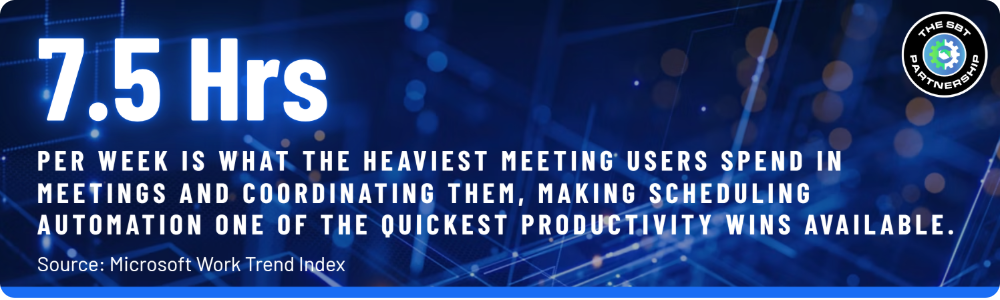
Back-and-forth scheduling emails can consume more time than most organizations realize. Microsoft Bookings helps streamline the scheduling process by allowing customers, prospects, vendors, and employees to book appointments based on real-time calendar availability. Appointments are automatically synced with Outlook calendars, helping reduce scheduling conflicts and administrative overhead.

Common use cases include:  Client consultations • Sales meetings • Technical support sessions • Employee onboarding • Interview scheduling

For many organizations, Bookings can replace standalone scheduling tools while creating a more convenient experience for both employees and clients.

Included in Microsoft 365 Business Premium, Business Standard, and Business Basic.

2. Microsoft Planner: Simplified Project Management

Project management doesn’t always require complicated software. Microsoft Planner provides a visual and collaborative way to organize work, assign responsibilities, track deadlines, and monitor progress. Teams can quickly create project boards, manage tasks, and maintain visibility without the complexity often associated with larger project management platforms.

Planner works particularly well for: Marketing campaigns • IT projects • Employee onboarding • Internal initiatives • Recurring business processes

By giving teams a centralized place to manage work, Planner helps improve accountability, transparency, and coordination across departments while remaining simple enough for everyday use.

Included in Microsoft 365 Business Premium, Business Standard, and Business Basic.

3. Microsoft Forms: Collect Data Without Extra Software

Gathering information should be easy. Microsoft Forms allows organizations to create surveys, polls, registrations, questionnaires, and assessments in just a few minutes. Responses are automatically collected and organized, making it easier to review feedback and identify trends.

Businesses frequently use Forms to: Collect customer feedback • Conduct employee surveys • Register attendees for events • Perform training assessments • Gather internal requests

Instead of managing multiple survey platforms, organizations can use Forms to collect and organize information within the Microsoft 365 ecosystem already used by their teams.

Included in Microsoft 365 Business Premium, Business Standard, and Business Basic.

4. Microsoft Lists: Better Organization Than Spreadsheets

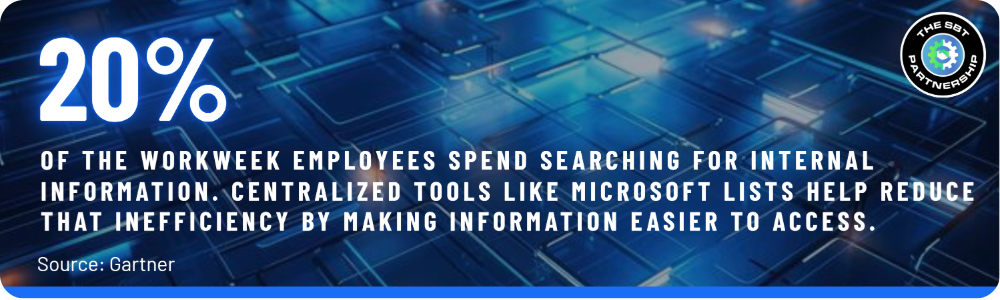
Spreadsheets are useful, but they often become difficult to manage as processes grow. Microsoft Lists provides a structured way to track information, manage workflows, and maintain visibility across teams. It offers a flexible approach to organizing business information without the limitations that often come with traditional spreadsheets.

Popular uses include: Asset management • Vendor tracking • Help desk requests • Employee onboarding • Project intake processes

Because Lists integrates with Microsoft Teams and SharePoint, information becomes easier to manage, update, and share, helping teams stay aligned and reducing the time spent searching for important data.

Included in Microsoft 365 Business Premium, Business Standard, and Business Basic.
Related Read: SharePoint Tips & Tricks →

5. Microsoft Whiteboard: Collaboration for Hybrid Teams

As hybrid work becomes the norm, brainstorming can no longer rely solely on physical conference rooms. Microsoft Whiteboard creates a shared digital workspace where employees can collaborate in real time regardless of location. Teams can capture ideas, map processes, plan projects, and facilitate discussions using a flexible visual canvas.

Whiteboard helps teams: Brainstorm ideas • Map business processes • Plan projects • Facilitate workshops • Collaborate across locations

For organizations looking to support modern work environments, Whiteboard helps create a consistent collaboration experience whether employees are working remotely, in the office, or both.

Included in Microsoft 365 Business Premium, Business Standard, and Business Basic.

6. Microsoft Loop: The Future of Workplace Collaboration

One of the biggest challenges in modern workplaces is information scattered across emails, chats, documents, and meetings. Microsoft Loop helps solve this challenge by allowing teams to create dynamic content that stays synchronized wherever it’s shared. Instead of managing multiple versions of the same information, employees can work from a single source that updates in real time.

A project update can be edited within: Microsoft Teams • Outlook • Loop Workspaces • Meeting notes — without creating multiple versions.

By bringing information closer to where work happens, Loop helps teams stay aligned, reduce confusion, and collaborate more efficiently.

Included in Microsoft 365 Business Premium, Business Standard, and Business Basic.

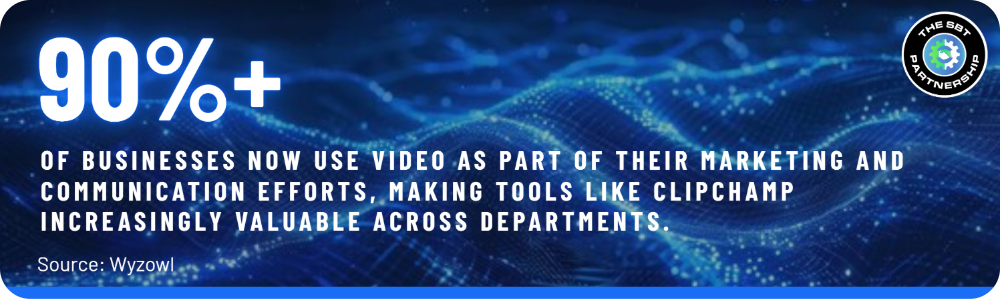
7. Microsoft Clipchamp: Create Professional Business Videos

Video communication is no longer reserved for marketing departments. Organizations increasingly create video content for employee training, customer onboarding, internal announcements, recruiting, and knowledge sharing. Microsoft Clipchamp gives organizations an accessible way to create professional-looking videos without specialized editing experience.

Teams can produce training materials, communication updates, and onboarding content quickly while keeping production simple and cost-effective.

Included in Microsoft 365 Business Premium, Business Standard, and Business Basic.

8. Microsoft To Do: Improve Task Management

Many productivity systems fail because they’re overly complex. Microsoft To Do provides a straightforward way for employees to organize tasks, prioritize responsibilities, and manage daily workloads. Its simplicity encourages consistent use without introducing additional process overhead.

Key benefits include: Daily task planning • Outlook integration • Deadline tracking • Personal productivity management • Visibility into upcoming work

For professionals balancing multiple priorities, To Do provides a practical way to stay organized and focused throughout the workday.

Included in Microsoft 365 Business Premium, Business Standard, and Business Basic.

9. Microsoft Copilot: One of the Most Powerful Features Available

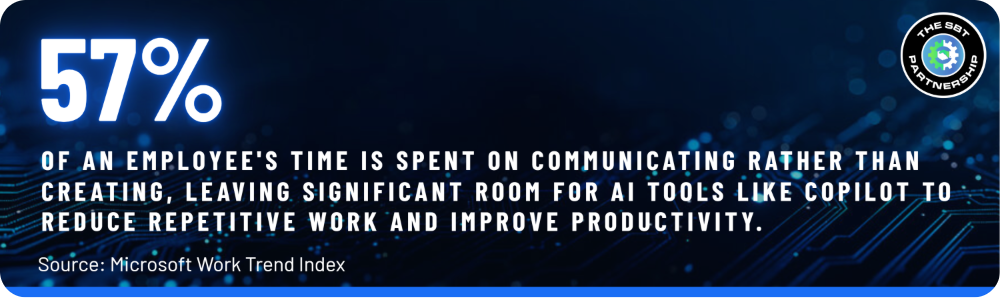
Few Microsoft 365 features have generated as much interest as Microsoft Copilot. While often viewed as an AI assistant, Copilot’s real value comes from how it integrates directly into the tools people use every day. By helping employees work more efficiently, Copilot can reduce repetitive tasks and free up time for higher-value work.

Copilot can help users: Draft emails • Summarize meetings • Analyze spreadsheets • Generate presentations • Create content • Perform research • Answer questions using organizational data

When implemented effectively, Copilot can help organizations improve productivity, accelerate decision-making, and reduce the time spent on routine administrative work.

The free Copilot Chat tier is included in Microsoft 365 Business Premium, Business Standard, and Business Basic. Full Microsoft 365 Copilot, grounded in your organization's own data, requires a separate paid add-on on top of any of these plans.
Related Read: How to Build an AI Agent in 10 Minutes or Less with Microsoft Copilot →

Why Workplace Modernization Starts with the Tools You Already Own

Many organizations assume workplace modernization requires major software investments. In reality, some of the most meaningful improvements come from maximizing the value of tools that are already included within Microsoft 365. By increasing adoption of existing capabilities, businesses can improve operational efficiency without adding additional software costs or complexity.

Features like Planner, Forms, Lists, Whiteboard, Loop, and Copilot help businesses: Improve collaboration • Increase productivity • Reduce software costs • Centralize information • Streamline communication

Before investing in another standalone solution, it’s worth evaluating whether your Microsoft 365 subscription already provides the functionality needed to support your business goals.

Without a Subscription Review
✗ Teams pay for extra software that duplicates built-in tools
✗ Employees default to whatever app they already know
✗ Work gets scattered across disconnected platforms
✗ IT spend grows without a clear picture of what's already covered
With a Subscription Review
✓ Existing Microsoft 365 tools get adopted before new ones get purchased
✓ Teams work from a consistent, connected set of apps
✓ Information stays centralized instead of scattered
✓ Technology spend reflects what's actually being used

Quick Self-Check: Are You Paying for Tools You Already Own?

A few honest answers can reveal whether your current software stack is duplicating what’s already sitting inside your Microsoft 365 subscription.

✓
Are you paying for a separate scheduling tool, survey platform, or video editor?
✓
Do different teams track projects and tasks in different, unconnected apps?
✓
Has anyone on your team actually been shown what's included in your license?
✓
Do important updates get lost across emails, chats, and multiple document versions?
✓
Could employees say, with confidence, whether your business already has an AI tool?

Are You Getting Full Value from Your Microsoft 365 Investment?

Most businesses are already paying for Microsoft 365. The bigger question is whether they’re taking full advantage of everything that’s available. From scheduling and collaboration to project management, task tracking, business productivity, and AI-powered assistance, Microsoft 365 offers significantly more value than many organizations realize.

At SBT Partners, we help organizations evaluate their Microsoft 365 environment, identify underutilized capabilities, and build a practical roadmap for improving productivity, collaboration, and security.

SBT Partners

Ready to Get More Value from Microsoft 365?

Contact our team for a Microsoft 365 assessment and discover opportunities that may already be available within your existing subscription.

GET YOUR FREE M365 ASSESSMENT→

Share This Post

  • Share on Facebook
  • Share on X
  • Share on WhatsApp
  • Share on Pinterest
  • Share on LinkedIn
  • Share on Tumblr
  • Share on Vk
  • Share on Reddit
  • Share by Mail

More Like This

9 Microsoft 365 Features You’re Probably Not Using (But Should Be)

Office 365
Many businesses assume Microsoft 365 only covers email and the core Office apps, but subscriptions like Business Premium include a much wider set of tools for scheduling, project management, data collection, collaboration, video creation, and AI-assisted work. This guide walks through nine features already sitting inside your subscription, what each one can replace, and which license they're included in, so you can evaluate what you're already paying for before purchasing another standalone tool.
August 26, 2026
https://www.sbtpartners.com/wp-content/uploads/2026/08/Designer-40.jpg 938 1676 [email protected] /wp-content/uploads/2023/11/SBT-Logo-Color_a3b47f75244ae0f19b0c6e42706a26e8-1.png [email protected]2026-08-26 15:31:472026-08-26 15:31:539 Microsoft 365 Features You’re Probably Not Using (But Should Be)

Microsoft Is Retiring Text-Message Login Codes — Here’s What Your Business Needs to Know

Office 365
Starting January 28, 2027, Microsoft will stop sending its own text and call codes for logging into Microsoft 365. Here's what's actually changing, why it's happening now, and what small businesses should do before then.
August 6, 2026
https://www.sbtpartners.com/wp-content/uploads/2026/08/Designer-38.png 1024 1536 [email protected] /wp-content/uploads/2023/11/SBT-Logo-Color_a3b47f75244ae0f19b0c6e42706a26e8-1.png [email protected]2026-08-06 11:29:462026-09-02 10:39:57Microsoft Is Retiring Text-Message Login Codes — Here’s What Your Business Needs to Know

Microsoft 365 Business Premium vs. Standard

Office 365
Most businesses don't pick the wrong M365 plan on purpose. They pick the one that looked right before they knew what to look for.
July 2, 2026
https://www.sbtpartners.com/wp-content/uploads/2026/07/photo-1662947036644-ecfde1221ac7-scaled.avif 1600 2560 [email protected] /wp-content/uploads/2023/11/SBT-Logo-Color_a3b47f75244ae0f19b0c6e42706a26e8-1.png [email protected]2026-07-02 11:18:082026-07-14 13:59:08Microsoft 365 Business Premium vs. Standard

SharePoint Tips & Tricks

SharePoint
Most small business teams are only using about 20% of what SharePoint can do. Here's how to actually get your money's worth.
June 25, 2026
https://www.sbtpartners.com/wp-content/uploads/2026/06/sharepoint-add-in-retirement.jpg 800 1200 [email protected] /wp-content/uploads/2023/11/SBT-Logo-Color_a3b47f75244ae0f19b0c6e42706a26e8-1.png [email protected]2026-06-25 15:03:242026-07-14 13:59:12SharePoint Tips & Tricks

Your Business Runs on More Than Wi-Fi — Here’s What It Actually Needs

Office 365
Why Microsoft 365 Business Premium is the foundation every small business should have under its feet — and what happens when it doesn’t.
June 4, 2026
https://www.sbtpartners.com/wp-content/uploads/2026/06/Untitled-March-04-2026-at-14.46.14-16-2.png 400 600 [email protected] /wp-content/uploads/2023/11/SBT-Logo-Color_a3b47f75244ae0f19b0c6e42706a26e8-1.png [email protected]2026-06-04 15:49:312026-07-14 13:59:18Your Business Runs on More Than Wi-Fi — Here’s What It Actually Needs

SBT Earns Another Modern Work Accolade

Office 365
What this designation requires, how it strengthens our Modern Work approach, and why it gives SMBs confidence that their environment is being managed with measurable expertise.
March 12, 2026
https://www.sbtpartners.com/wp-content/uploads/2026/03/Screenshot-2026-03-13-092922.png 984 1476 [email protected] /wp-content/uploads/2023/11/SBT-Logo-Color_a3b47f75244ae0f19b0c6e42706a26e8-1.png [email protected]2026-03-12 15:10:192026-07-12 13:58:39SBT Earns Another Modern Work Accolade
Copilot agent reaching for copilot logo

How to Build an AI Agent in 10 Minutes or Less with Microsoft Copilot

AI, Office 365
Learn how to build a simple AI agent in 10 minutes or less using Microsoft Copilot. No coding required. Perfect for SMBs looking to automate fast.
February 20, 2026
https://www.sbtpartners.com/wp-content/uploads/2026/02/Untitled-3-26.png 660 796 [email protected] /wp-content/uploads/2023/11/SBT-Logo-Color_a3b47f75244ae0f19b0c6e42706a26e8-1.png [email protected]2026-02-20 08:44:512026-07-12 13:58:41How to Build an AI Agent in 10 Minutes or Less with Microsoft Copilot

The Formula for Total IT Management

Miscellaneous, Office 365, The SBT Partnership
Secure your SMB with Microsoft 365 Business Premium and SBT’s Total IT Management.
December 24, 2025
https://www.sbtpartners.com/wp-content/uploads/2025/12/Untitled-12.png 1080 1080 [email protected] /wp-content/uploads/2023/11/SBT-Logo-Color_a3b47f75244ae0f19b0c6e42706a26e8-1.png [email protected]2025-12-24 15:16:102026-07-12 13:58:44The Formula for Total IT Management
How Microsoft 365 Business Premium Features Can Strengthen Your Cybersecurity Posture

How Microsoft 365 Business Premium Features Can Strengthen Your Cybersecurity Posture

Office 365
Learn how Microsoft 365 Business Premium’s features strengthens your cybersecurity with threat detection, data encryption, endpoint security, and more.
January 10, 2025
https://www.sbtpartners.com/wp-content/uploads/2025/01/How-Microsoft-365-Business-Premium-Features-Can-Strengthen-Your-Cybersecurity-Posture.jpg 1250 2000 Abstrakt Marketing /wp-content/uploads/2023/11/SBT-Logo-Color_a3b47f75244ae0f19b0c6e42706a26e8-1.png Abstrakt Marketing2025-01-10 16:10:122026-06-25 13:58:59How Microsoft 365 Business Premium Features Can Strengthen Your Cybersecurity Posture
Previous Previous Previous Next Next Next

Categories

  • AI
  • Cloud Computing
  • Cloud Solutions
  • Copilot
  • Cybersecurity
  • Data Backup
  • Help Desk
  • InTune
  • IT Roadmap
  • Managed IT
  • Managed Services
  • Miscellaneous
  • Modern Workplace
  • News
  • Office 365
  • SharePoint
  • Technology as a Service
  • The IT Strategy Committee
  • The SBT Partnership
  • Total IT Management

Contact Us

"*" indicates required fields

This field is for validation purposes and should be left unchanged.
Google
Google star 1Google star 2Google star 3Google star 4Google star 5
5.0
Top Rated Service 2026
verified by Trustindex
Trustindex verifies that the company has a review score above 4.5, based on reviews collected on Google over the past 12 months, qualifying it to receive the Top Rated Certificate.

What We Do

AI Solutions

Helpdesk

Cybersecurity

Microsoft 365

Virtual CIO

Collaboration

Data Backup

Business Continuity

Modern Cloud Services

Infrastructure & Endpoint Management

The SBT Partnership

SBT Solution Stack

The Modern Workplace

Technology as a Service

Procurement as a Service

IT Strategy Committee

SBT Partnership Rewards

About Us

Locations

Contact Us

Charlotte
1619 Providence Road S, Suite 220-135
Marvin, NC 28173

(704) 626 1001

Detroit
143 Cadycentre, Suite 166,
Northville, MI 48167

(313) 251 4031

Website by Abstrakt Marketing Group ©
  • Privacy Policy
  • Sitemap
  • Linkedin
  • YouTube
Scroll to top Scroll to top Scroll to top

This site uses cookies. By continuing to browse the site, you are agreeing to our use of cookies.

AcceptLearn more

Cookie and Privacy Settings


How we use cookies

We may request cookies to be set on your device. We use cookies to let us know when you visit our websites, how you interact with us, to enrich your user experience, and to customize your relationship with our website.

Click on the different category headings to find out more. You can also change some of your preferences. Note that blocking some types of cookies may impact your experience on our websites and the services we are able to offer.

Essential Website Cookies

These cookies are strictly necessary to provide you with services available through our website and to use some of its features.

Because these cookies are strictly necessary to deliver the website, refusing them will have impact how our site functions. You always can block or delete cookies by changing your browser settings and force blocking all cookies on this website. But this will always prompt you to accept/refuse cookies when revisiting our site.

We fully respect if you want to refuse cookies but to avoid asking you again and again kindly allow us to store a cookie for that. You are free to opt out any time or opt in for other cookies to get a better experience. If you refuse cookies we will remove all set cookies in our domain.

We provide you with a list of stored cookies on your computer in our domain so you can check what we stored. Due to security reasons we are not able to show or modify cookies from other domains. You can check these in your browser security settings.

Other external services

We also use different external services like Google Webfonts, Google Maps, and external Video providers. Since these providers may collect personal data like your IP address we allow you to block them here. Please be aware that this might heavily reduce the functionality and appearance of our site. Changes will take effect once you reload the page.

Google Webfont Settings:

Google Map Settings:

Google reCaptcha Settings:

Vimeo and Youtube video embeds:

Accept settingsHide notification only
  • Quick Quote
  • Speak to an Expert
  • Remote Support