SBT Partners
  • Total IT Management
        • AI Solutions
        • Helpdesk
        • Cybersecurity
        • Microsoft 365
        • Modern Cloud Services
        • Data Backup
        • Business Continuity
        • Infrastructure & Endpoint Management
        • Virtual CIO
        • Collaboration
  • Industries
    • Construction
    • Manufacturing
    • Nonprofits
    • Professional Services
    • Property Management
  • The SBT Partnership
    • SBT Solution Stack
    • The Modern Workplace
    • Technology as a Service
    • Procurement as a Service
    • IT Strategy Committee
    • SBT Partnership Rewards
    • About Us
  • Resources
    • Upgrade Your MSP
    • Blog
    • Videos
    • Careers
    • Locations
      • Charlotte
      • Detroit
  • Contact Us
  • Menu Menu
Managed Services Detroit Button AI SOLUTIONS

How to Use AI Chat Like a Pro

You’ve picked a tool. You know the mistakes that put your business at risk. Here’s the part most teams never get to: how to actually get results out of the AI chat window that are worth the time you spend typing into it.

See More AI Solutions

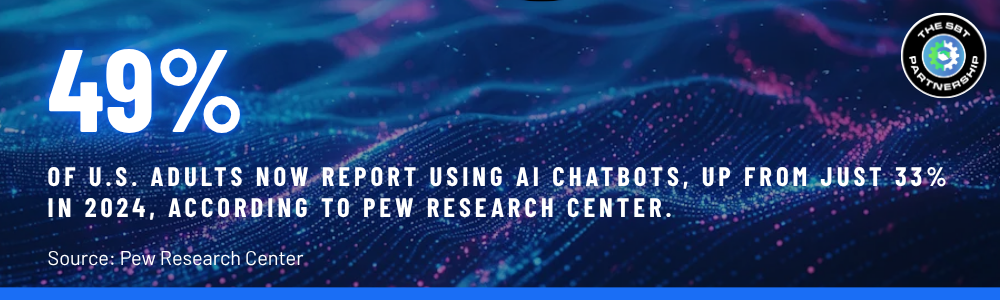
By now, most small and midsized business teams have settled on an AI chat tool of some kind, whether that’s Microsoft Copilot, ChatGPT, Claude, or something built directly into the apps they already use. Most have also learned, usually the hard way, what not to do with it: don’t feed it a one-line question and expect magic, and don’t hand over information that has no business leaving the building.

Knowing the tool and knowing the landmines only gets a team so far. What actually separates the people getting real, usable output from the ones who quietly stopped bothering after a few disappointing sessions almost never comes down to which model they’re using. It comes down to how they’re talking to it.


Copilot+ PC stat

Here’s what changes when a team moves from casually poking at an AI chatbot to actually operating it like a tool: fewer generic answers, less re-typing the same request five different ways, and output that’s usable on the first or second pass instead of the fifth. None of it requires a technical background. It requires a slightly different habit.

Give It Context Upfront, not a One-Line Ask

Most disappointing AI answers trace back to the same root cause: the person asked a question the way they’d ask a coworker who already knows the whole backstory. AI chat tools don’t have that backstory unless you give it to them. A one-line prompt gets a one-size-fits-all answer.

The fix is simple, and it takes about ten extra seconds. Before asking for anything, tell the AI four things: who it should act as, what the actual goal is, who the output is for, and roughly what form you want it in.

  • Vague: “Write a follow-up email to a client.”
  • Specific: “You’re a project manager at a construction firm. Write a follow-up email to a client whose permit approval is delayed two weeks. The tone should be reassuring but direct, and it should end with a clear next step. Keep it under 150 words.”

The second version doesn’t just sound better, it’s usable without a rewrite. The AI isn’t guessing at your industry, your relationship with the client, or your tone. You told it.

Treat It Like a Conversation, not a Vending Machine

A lot of people treat AI chat like a search engine: type a question, take whatever comes back, and if it’s wrong, start over from scratch with a totally new prompt. That’s the slow way to do this. Every AI chat tool keeps the thread of the conversation, which means it remembers what you asked for and what it already gave you. Use that.

Instead of restarting, refine. If the draft is too formal, say so. If it missed a key point, add it as a follow-up instead of retyping the whole request. Each round makes the output closer to what you actually needed, and it usually takes fewer total messages than starting over would.

  • “That’s close, but make it shorter and drop the third paragraph.”
  • “Good structure. Now rewrite it assuming the reader has never seen our pricing before.”
  • “Keep everything the same, just make the tone less formal.”

This is the single biggest habit shift between someone who finds AI chat mildly useful and someone who relies on it daily. It stops being a slot machine and starts being an editor sitting next to you.

Be Specific About What the Output Should Look Like

Content and format are two different requests, and most people only ask for the first one. Telling the AI what to write is half the job. Telling it how to structure the answer is the other half, and it’s the part that saves the most editing time afterward.

 
If you want... Say something like...
A scannable summary "Give me this as five bullet points, no more than one sentence each."
A specific tone "Keep it professional but warm, like you're writing to a long-term client."
A word or length limit "Cap it at 200 words. Don't pad it to hit the limit."
A structured document "Use headers for each section: Background, Options, Recommendation."
A table instead of prose "Put this in a table with columns for Task, Owner, and Due Date."
 

Skipping this step is why so many people end up with a wall of text they then have to manually reformat. Asking for the shape of the answer up front is faster than fixing it after the fact.

Know What Should Never Go in the Chat Box

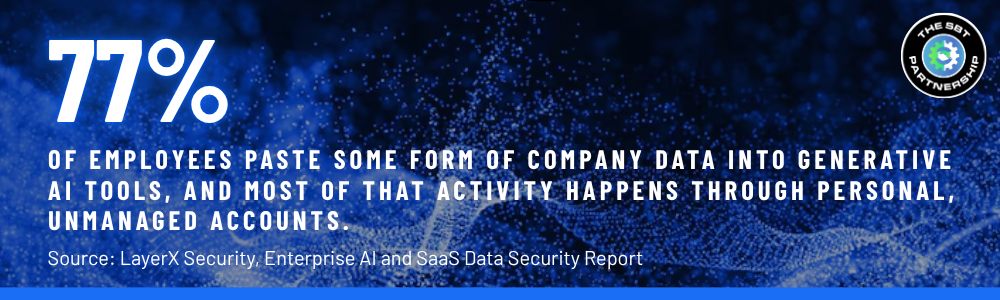
Getting good at prompting doesn’t mean anything is fair game to paste in. This is the direct continuation of a problem most SMBs already have without realizing it: employees are using AI chat tools daily, and a lot of what they’re pasting in shouldn’t be leaving the building.


Copilot+ PC stat

The rule of thumb: if you wouldn’t post it on a public forum, don’t paste it into an AI chat window, especially a personal or free-tier account that isn’t covered by your company’s data protection agreements. That includes:

  • Client and employee PII — Social Security numbers, account numbers, health information, home addresses
  • Financial data — unreleased earnings, payroll details, banking information, wire instructions
  • Credentials and access details — passwords, API keys, network configurations
  • Confidential business strategy — pricing negotiations, M&A discussions, unreleased product plans
  • Proprietary source code or trade secrets your business doesn’t want resurfacing elsewhere
 
Related Read: Your Employees Are Using AI. Is Your Data Protected? →
 

This is exactly the kind of gap that shows up long before anyone notices a breach. It doesn’t take a sophisticated attack, just an employee trying to move faster and a chat box that doesn’t ask any questions before it remembers what you typed. It’s the same underlying pattern behind how modern phishing bypasses traditional email filters →: attackers and AI tools alike are only ever as safe as the habits around them.

Prompts That Actually Work for SMB Roles

Good prompting isn’t abstract. It looks different depending on what you’re actually trying to get done. A few real examples, built around the tasks that come up constantly in SMB roles:

 
Role / Task Sample prompt
Office manager
Drafting an email
"You're an office manager. Write a short email to the team reminding them the holiday schedule is posted on SharePoint. Friendly tone, three sentences max, no corporate jargon."
Team lead
Summarizing a meeting
"Here are my raw meeting notes: [paste notes]. Summarize into three sections: Decisions Made, Open Questions, and Action Items with owners. No commentary, just the facts."
Operations
First-pass report
"Act as an operations analyst. Using this data: [paste or describe data], write a one-page summary for leadership. Lead with the headline finding, then three supporting points, then a recommendation."
Sales
Prospect follow-up
"Write a follow-up email to a prospect who went quiet after a demo two weeks ago. Low-pressure tone, reference the demo generally, and end with a simple yes/no question to reopen the conversation."
HR
Policy explainer
"Rewrite this HR policy in plain language a new hire with no legal background could understand in one read. Keep the meaning identical. Use short paragraphs."
 
Related Read: 5 Copilot Prompts (and Agents) Smarter Teams Are Quietly Using →
 

The Tools Doing the Heavy Lifting in 2026

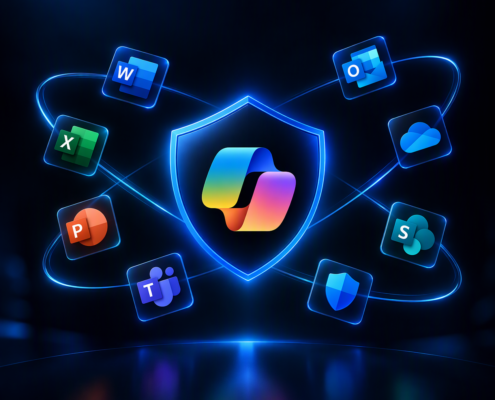
Prompting skill matters more when the tools themselves keep getting more capable. Microsoft 365 Business Premium and Copilot for Business already puts Copilot inside Word, Outlook, Teams, and Excel, which means the context-setting habits above apply just as much to summarizing a Teams call as they do to a standalone chat window.


Copilot+ PC stat

The ecosystem is also no longer single-model. Microsoft has begun integrating Anthropic’s Claude models directly into Copilot for certain tasks, giving teams access to more than one AI “brain” without switching apps. And for more involved, multi-step work, tools like Claude Cowork extend the same conversational approach into full task delegation, letting an AI agent work across documents, spreadsheets, and other apps on your behalf rather than answering one prompt at a time. The prompting fundamentals don’t change: context, iteration, and format specificity still determine whether the output is useful, no matter which tool is doing the work.


Related Read: Claude Inside Microsoft Copilot →
 

Getting good at AI chat is a skill, and like any skill, it’s easy to plateau at “good enough” without ever hitting “actually efficient.” The difference between the two is almost always a handful of habits: context, iteration, format, and knowing exactly where the line sits on what’s safe to share. None of it requires a technical rollout. It just requires someone showing the team what good looks like, and a security foundation that makes the good habits actually matter.

SBT Partners

Want your team using AI the right way, not just the fast way?

SBT's Total IT Management pairs Microsoft 365 Business Premium with the training, governance, and security guardrails that turn scattered AI use into a real productivity advantage.

TALK TO SBT ABOUT AI ENABLEMENT→

Share This Post

  • Share on Facebook
  • Share on X
  • Share on WhatsApp
  • Share on Pinterest
  • Share on LinkedIn
  • Share on Tumblr
  • Share on Vk
  • Share on Reddit
  • Share by Mail

More Like This

How to Use AI Chat Like a Pro

AI
You've picked a tool. You know the mistakes that put your business at risk. Here's the part most teams never get to: how to actually get results out of the AI chat window that are worth the time you spend typing into it.
September 18, 2026
https://www.sbtpartners.com/wp-content/uploads/2026/09/Designer-44.png 969 1624 [email protected] /wp-content/uploads/2023/11/SBT-Logo-Color_a3b47f75244ae0f19b0c6e42706a26e8-1.png [email protected]2026-09-18 09:13:272026-09-18 09:13:32How to Use AI Chat Like a Pro

What Is a Copilot+ PC?

AI
Copilot+ PC and a regular PC share a name but little else. This guide breaks down the real hardware differences, which AI features only work on certified devices, and whether your business needs one now or can wait.
September 3, 2026
https://www.sbtpartners.com/wp-content/uploads/2026/09/Designer-41.jpg 1024 1536 [email protected] /wp-content/uploads/2023/11/SBT-Logo-Color_a3b47f75244ae0f19b0c6e42706a26e8-1.png [email protected]2026-09-03 14:27:042026-09-03 14:27:11What Is a Copilot+ PC?
Copilot agent reaching for copilot logo

How to Build an AI Agent in 10 Minutes or Less with Microsoft Copilot

AI, Office 365
Learn how to build a simple AI agent in 10 minutes or less using Microsoft Copilot. No coding required. Perfect for SMBs looking to automate fast.
February 20, 2026
https://www.sbtpartners.com/wp-content/uploads/2026/02/Untitled-3-26.png 660 796 [email protected] /wp-content/uploads/2023/11/SBT-Logo-Color_a3b47f75244ae0f19b0c6e42706a26e8-1.png [email protected]2026-02-20 08:44:512026-07-12 13:58:41How to Build an AI Agent in 10 Minutes or Less with Microsoft Copilot
copilot keyboard key

Copilot Business: Microsoft’s Commitment to Small Business Success

AI
Learn how Microsoft 365 Copilot Business helps SMBs boost productivity with AI-powered tools and smart automation.
December 5, 2025
https://www.sbtpartners.com/wp-content/uploads/2025/12/Untitled-5.png 500 500 [email protected] /wp-content/uploads/2023/11/SBT-Logo-Color_a3b47f75244ae0f19b0c6e42706a26e8-1.png [email protected]2025-12-05 15:22:162026-07-12 13:58:46Copilot Business: Microsoft’s Commitment to Small Business Success
The implementation of AI Agents

The Rise of AI Agents

AI
Autonomous AI tools are transforming how companies work, collaborate, and scale. This guide helps you decide which platform fits your needs.
November 6, 2025
https://www.sbtpartners.com/wp-content/uploads/2025/10/AI-agents.jpg 900 1400 [email protected] /wp-content/uploads/2023/11/SBT-Logo-Color_a3b47f75244ae0f19b0c6e42706a26e8-1.png [email protected]2025-11-06 10:20:282026-07-12 13:58:47The Rise of AI Agents
Co-working Business Team Consulting meeting Planning Strategy

AI in Business: Key Applications You Need to Know

AI
Discover how AI in business is transforming industries and solving challenges. Discover all its applications, from automating tasks to enhancing UX.
December 3, 2024
https://www.sbtpartners.com/wp-content/uploads/2024/12/Co-working-Business-Team-Consulting-meeting-Planning-Strategy.jpg 1250 2000 Abstrakt Marketing /wp-content/uploads/2023/11/SBT-Logo-Color_a3b47f75244ae0f19b0c6e42706a26e8-1.png Abstrakt Marketing2024-12-03 16:08:562026-06-25 13:59:01AI in Business: Key Applications You Need to Know
Everything You Need to Know About CoPilot+ PCs

Everything You Need to Know About Microsoft CoPilot+ PC

AI
Discover the next generation of AI-powered PCs with Microsoft’s CoPilot+ PCs and discover how they can enhance your business’s productivity.
November 18, 2024
https://www.sbtpartners.com/wp-content/uploads/2024/11/Everything-You-Need-to-Know-About-CoPilot-PCs.jpg 1250 2000 Abstrakt Marketing /wp-content/uploads/2023/11/SBT-Logo-Color_a3b47f75244ae0f19b0c6e42706a26e8-1.png Abstrakt Marketing2024-11-18 16:43:292026-06-25 13:59:02Everything You Need to Know About Microsoft CoPilot+ PC
How to Integrate AI Into Your Business Strategy

How to Integrate AI Into Your Business Strategy

AI
Want to leverage AI in your business? Discover how to integrate AI into your business strategy in this blog.
November 18, 2024
https://www.sbtpartners.com/wp-content/uploads/2024/11/How-to-Integrate-AI-Into-Your-Business-Strategy.jpg 1250 2000 Abstrakt Marketing /wp-content/uploads/2023/11/SBT-Logo-Color_a3b47f75244ae0f19b0c6e42706a26e8-1.png Abstrakt Marketing2024-11-18 13:36:192026-06-25 13:59:02How to Integrate AI Into Your Business Strategy
Side view of someone typing on laptop computer

How AI and Automation Is Revolutionizing Retail and E-Commerce

AI
Explore how artificial intelligence (AI) in the workplace is revolutionizing various industries and how your business can benefit in this blog.
September 10, 2024
https://www.sbtpartners.com/wp-content/uploads/2024/09/Side-view-of-someone-typing-on-laptop-computer.jpg 1250 2000 Abstrakt Marketing /wp-content/uploads/2023/11/SBT-Logo-Color_a3b47f75244ae0f19b0c6e42706a26e8-1.png Abstrakt Marketing2024-09-10 12:08:442026-06-25 13:59:05How AI and Automation Is Revolutionizing Retail and E-Commerce
Previous Previous Previous Next Next Next

Categories

  • AI
  • Cloud Computing
  • Cloud Solutions
  • Copilot
  • Cybersecurity
  • Data Backup
  • Help Desk
  • InTune
  • IT Roadmap
  • Managed IT
  • Managed Services
  • Miscellaneous
  • Modern Workplace
  • News
  • Office 365
  • SharePoint
  • Technology as a Service
  • The IT Strategy Committee
  • The SBT Partnership
  • Total IT Management

Contact Us

"*" indicates required fields

This field is for validation purposes and should be left unchanged.
Google
Google star 1Google star 2Google star 3Google star 4Google star 5
5.0
Top Rated Service 2026
verified by Trustindex
Trustindex verifies that the company has a review score above 4.5, based on reviews collected on Google over the past 12 months, qualifying it to receive the Top Rated Certificate.

What We Do

AI Solutions

Helpdesk

Cybersecurity

Microsoft 365

Virtual CIO

Collaboration

Data Backup

Business Continuity

Modern Cloud Services

Infrastructure & Endpoint Management

The SBT Partnership

SBT Solution Stack

The Modern Workplace

Technology as a Service

Procurement as a Service

IT Strategy Committee

SBT Partnership Rewards

About Us

Locations

Contact Us

Charlotte
1619 Providence Road S, Suite 220-135
Marvin, NC 28173

(704) 626 1001

Detroit
143 Cadycentre, Suite 166,
Northville, MI 48167

(313) 251 4031

Website by Abstrakt Marketing Group ©
  • Privacy Policy
  • Sitemap
  • Linkedin
  • YouTube
Scroll to top Scroll to top Scroll to top

This site uses cookies. By continuing to browse the site, you are agreeing to our use of cookies.

AcceptLearn more

Cookie and Privacy Settings


How we use cookies

We may request cookies to be set on your device. We use cookies to let us know when you visit our websites, how you interact with us, to enrich your user experience, and to customize your relationship with our website.

Click on the different category headings to find out more. You can also change some of your preferences. Note that blocking some types of cookies may impact your experience on our websites and the services we are able to offer.

Essential Website Cookies

These cookies are strictly necessary to provide you with services available through our website and to use some of its features.

Because these cookies are strictly necessary to deliver the website, refusing them will have impact how our site functions. You always can block or delete cookies by changing your browser settings and force blocking all cookies on this website. But this will always prompt you to accept/refuse cookies when revisiting our site.

We fully respect if you want to refuse cookies but to avoid asking you again and again kindly allow us to store a cookie for that. You are free to opt out any time or opt in for other cookies to get a better experience. If you refuse cookies we will remove all set cookies in our domain.

We provide you with a list of stored cookies on your computer in our domain so you can check what we stored. Due to security reasons we are not able to show or modify cookies from other domains. You can check these in your browser security settings.

Other external services

We also use different external services like Google Webfonts, Google Maps, and external Video providers. Since these providers may collect personal data like your IP address we allow you to block them here. Please be aware that this might heavily reduce the functionality and appearance of our site. Changes will take effect once you reload the page.

Google Webfont Settings:

Google Map Settings:

Google reCaptcha Settings:

Vimeo and Youtube video embeds:

Accept settingsHide notification only
  • Quick Quote
  • Speak to an Expert
  • Remote Support